RS485 Bus Sharer
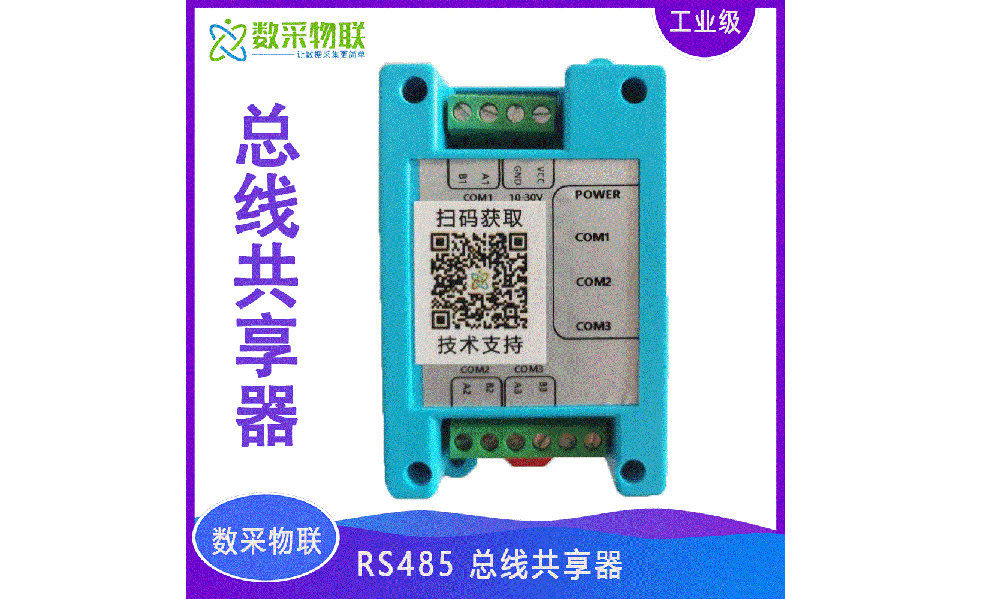
Product Details
1 Product Overview
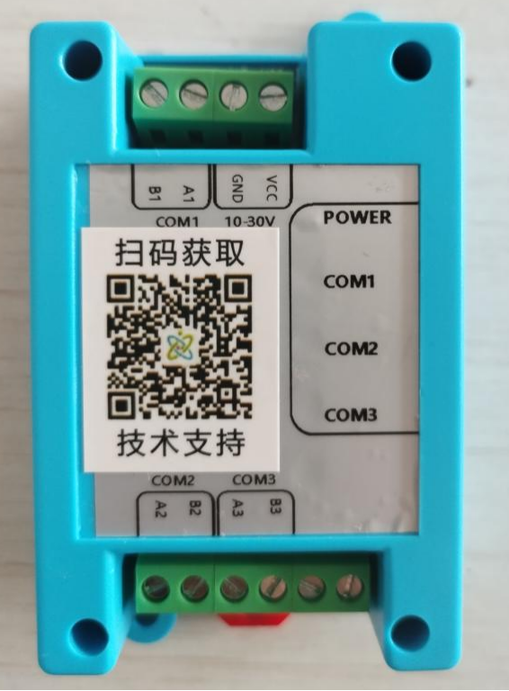
RS485 bus sharer schematic
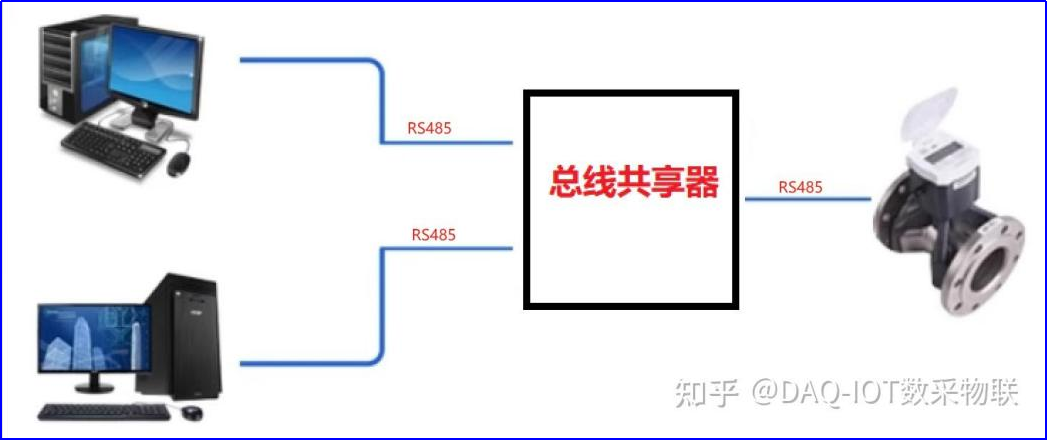
Function diagram
DAQ-GP-485HUB is an RS485 bus multiplexing data-sharing processor launched by Shanghai DAQ IoT. It is a high-performance communication device specially designed to solve data conflicts that occur when two masters and one slave communicate. In actual industrial control and monitoring scenarios, multiple masters sending requests simultaneously causes data conflicts, affecting system stability and reliability. This processor connects two masters and one slave on a single RS485 interface, achieving high-speed and stable communication. It supports multiple protocols with adjustable baud rate, adapting to the communication needs of various scenarios. The processor also features excellent DIN-rail mounting and a compact size, making it convenient to install and use in limited spaces. In summary, this multiplexing RS485 hub is a high-performance, highly reliable industrial device that can stably and efficiently solve data conflicts when two masters and one slave communicate, improving the stability and efficiency of the whole system — a product that is well worth recommending.
3 Product Features
| Item | Specification |
|---|---|
| Model | DAQ-GP-485HUB |
| Power supply | DC 10-30V |
| Communication protocol | Transparent transmission, supports any protocol |
| Baud rate | 1200-230400bps |
| Product dimensions | 1025433mm |
| Operating environment | -20℃ ~ 60℃ |
| Processor | 32-bit ARM MCU processor, fast processing speed |
4 Core Advantages
-
The product adopts a reliable power supply method with DC 10-30V power input.
-
Supports adjustable baud rate, selectable from 1200 bps to 230400 bps.
-
The product supports multiple protocols for integration to meet the needs of different application scenarios.
-
Supports Modbus and DLT645 communication protocols, enabling convenient and fast data transmission and remote control.
-
Comes with PC parameter configuration software for convenient configuration and debugging.
-
DIN-rail mounting feature, occupying a small space.
-
The data processor is faster than a data buffer.
-
3 sets of RS485 interfaces with ESD protection.
5 Usage & Software Configuration
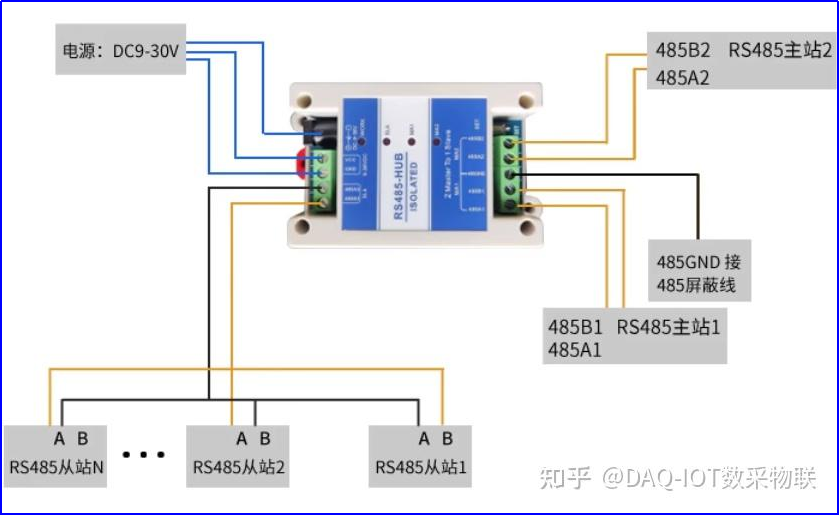
Wiring diagram
- Host computer software instructions
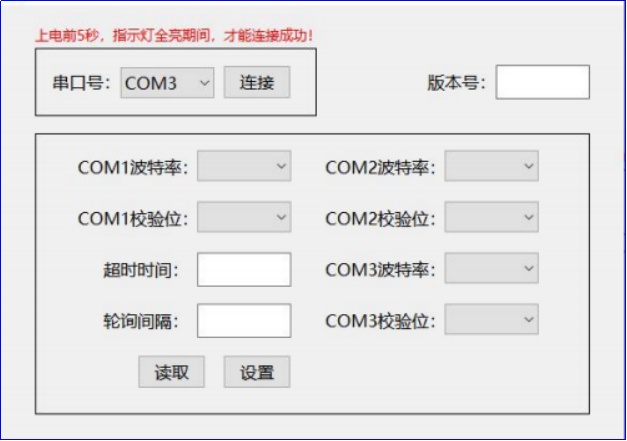
When configuring the module parameters from a computer, connect the computer’s RS485 to any RS485 port of the module. After the module is powered on, all five indicator lights will turn on; at this point click “connect” in the PC configuration software.
Note: The module can only be configured within the first five seconds after power-on, during which all indicator lights are on.
- Software page
- Troubleshooting. There may be various reasons why the RS485 communication cannot connect. The following are some common problems that may cause connection failures and their troubleshooting methods:
-
Wiring error: check whether the connection lines are correctly connected and whether there are wiring errors. Ensure the connection lines are not short-circuited.
-
Incorrect baud rate setting: determine whether the baud rate of the connected device matches the baud rate parameter on the RS485 communication device.
-
Incorrect device address setting: check whether the connected device has the correct address set.
-
Transmission distance too far: RS485 communication has a limited transmission distance; if the distance is too far, the communication cannot connect. This can be solved by adding a signal booster.
-
Device failure: sometimes the communication device itself may fail, causing the connection to fail. In this case, check whether the device hardware is normal, including whether the power supply is stable and whether there is physical damage.
-
Program or protocol error: RS485 communication may also have program- or protocol-related problems. This can be solved by reconfiguring parameters or protocols, or by replacing the software.
In summary, the specific cause of a connection failure needs to be determined by eliminating possibilities one by one according to the actual situation. The above common problems can be checked step by step to help resolve connection failures.